
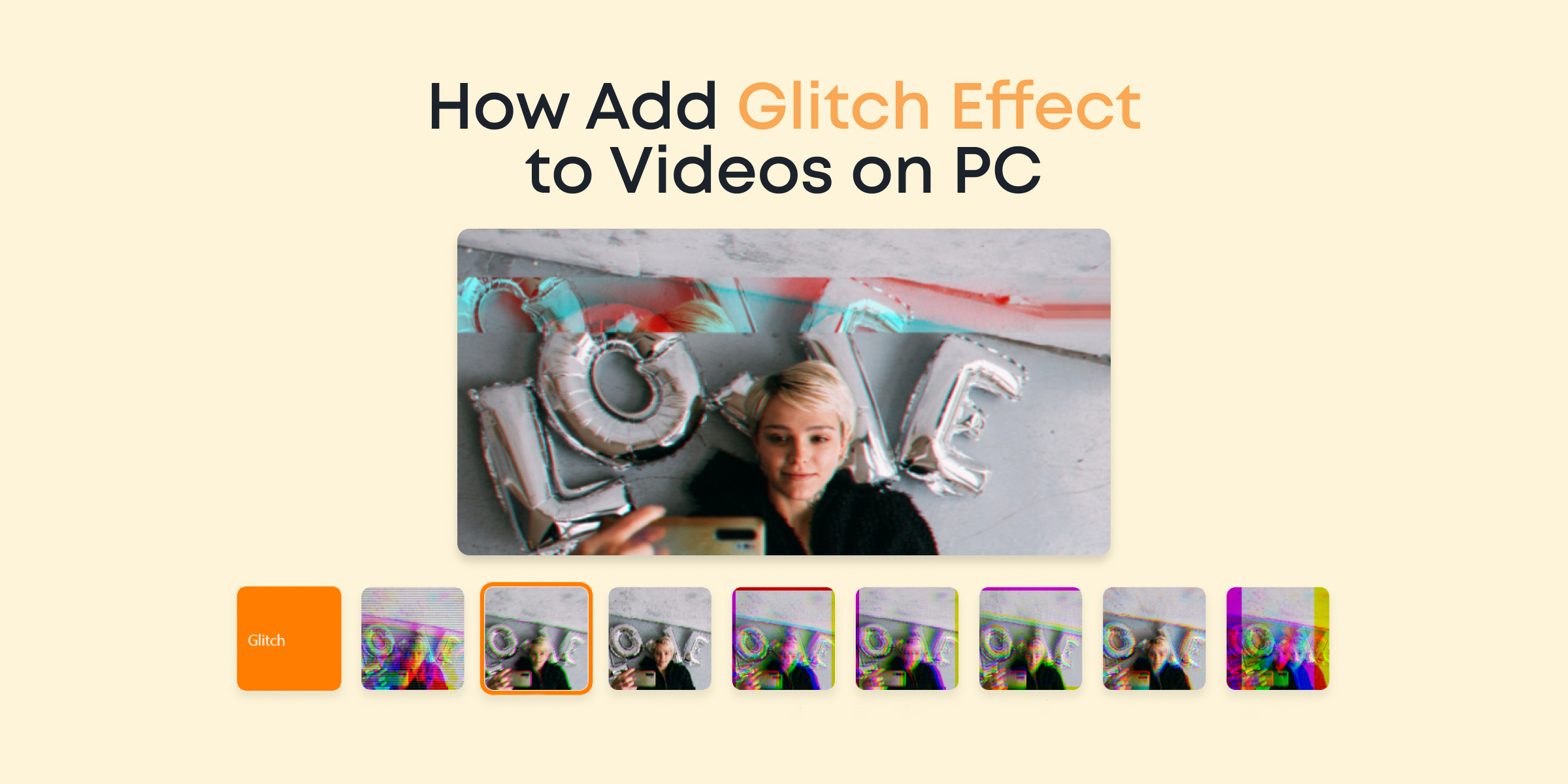
Welcome to our step-by-step guide on how to add a glitch effect to your videos using Animotica. Whether you’re a social media enthusiast, a content creator, a professional video editor, or someone who enjoys spicing up personal videos, this article will demonstrate how to leverage this trendy effect to make your content engaging and unique.
The glitch effect, a digital distortion often used to create a retro, funky, or futuristic vibe in videos, has gained popularity across various platforms. It’s used to create an intentional “corrupted file” look and feel that adds a touch of creative complexity to an otherwise simple clip.
- Engage your Audience: The glitch effect is a creative tool for engaging your audience and keeping their attention.
- Make Bold Statements: Glitch effects can often make some aspects of your video stand out, allowing you to make a bold visual statement.
- Unleash your Creativity: With several variations and styles of glitch effects available on Animotica, you’re encouraged to let your chaotic creativity run free!
Remember, the art of video editing lies in the details – and that’s where the glitch effect truly shines!
Before we delve into the detailed guide, let’s first take a look at the top 4 applications that can add glitch effects to your videos.
Contents
4 Best Software Tools for Adding Glitch Effect to Videos
Before diving into the step-by-step guide on adding the glitch effect with Animotica, let’s look at the five leading software tools widely used by creators for creating glitch effects in videos. But remember! There’s no one-size-fits-all solution, and each of these tools carries with it unique capabilities and attributes.
Animotica
Animotica is a superior video editing software that offers user-friendly options for incorporating glitch effects in your videos. It supports diverse effects to cater to your unique needs, making it a versatile tool for beginners and pro users. One such standout feature is their glitch effects that can instantly elevate your video editing game.
The essential advantage of using Animotica is its built-in glitch effect, which eliminates the need for third-party plugins or software. This makes the process more straightforward and minimizes the burden on your PC or laptop.

After Effects
After Effects by Adobe is a well-known and trusted tool amongst professional video editors and animators. This versatile software offers a wide range of special effects, including the glitch effect. Applying the glitch effect in After Effects might require more technical knowledge than Animotica, but it results in highly realistic and intricate visual glitches that can significantly enhance your video.
FilmoraPro
FilmoraPro is an advanced video editing software that offers extensive features for users aspiring to create professional videos. It caters to beginners and experts with its intuitive interface and wide variety of tools. One distinctive attribute of FilmoraPro is its in-depth control over visual effects, including the viral glitch effect. With multiple glitch effect options, FilmoraPro allows users to experiment and create videos with a unique and engaging aesthetic.
HitFilm Express
HitFilm Express is a well-regarded video editing tool, particularly loved by independent filmmakers and enthusiasts. It offers many special effects, including the popular glitch effect – all free. With its comprehensive interface, you can play around with various video effects to create unique and captivating content. Similar to Animotica, HitFilm Express allows you to tweak multiple settings in the glitch effect to get just the proper visual distortion in your videos, boosting viewer interest.
How to Add Glitch Effect to Videos on PC
In this section, we will walk you through the step-by-step process of adding the glitch effect to your videos using Animotica. You’ll learn to import your video, select the right impact, and apply the glitch effect. Additionally, we will guide you on saving your video to keep all these carefully made changes intact. Whether you’re experimenting for the first time or a seasoned editor looking for new tricks, stay tuned for practical tips and advice.
Step 1: Launch Animotica and Create a New Project
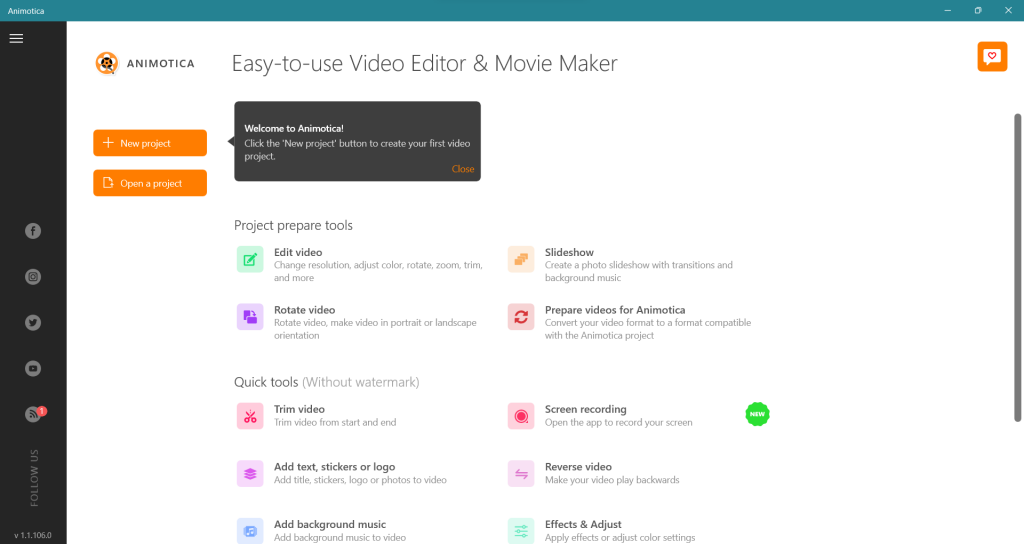
Let’s get started with the glitch effect in Animotica. First, open the program on your PC. It’s a simple step, but it’s where the smooth video editing journey begins.
Once the application is launched, find the “New Project” button and click it. This will open up a new project for you to start creating and experimenting with your videos.
Step 2: Upload Your Videos
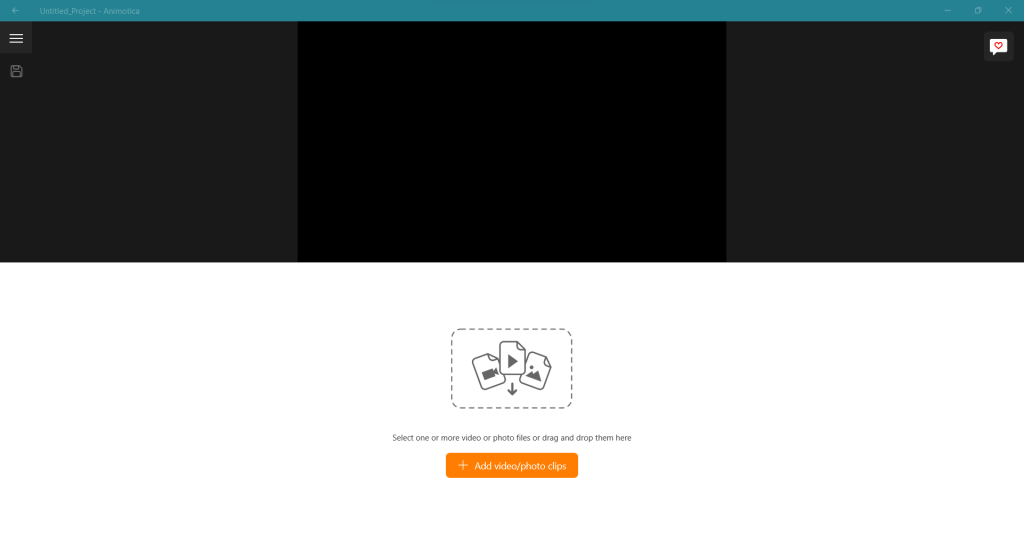
After opening Animotica on your PC, your next step is to upload the file video you wish to edit.
To do this, follow a few simple instructions:
- Click on the ‘+’ icon on the main screen. This will prompt the “Add” dropdown menu to appear.
- Select ‘Add Video/Photo Clips’ from the menu.
- In the Windows file explorer that opens up next, navigate to where your video file is stored.
- Click on the video file, then click the ‘Open’ button in the dialogue box.
Your video will now be visible on the Animotica timeline. You can add multiple video clips at a time for editing, following the same steps.
Note: Animotica will briefly generate proxy versions of your videos. This is designed to facilitate quicker editing and enhance your overall user experience. You can learn more about proxy files.
Step 3: Choose Your Desired Clip
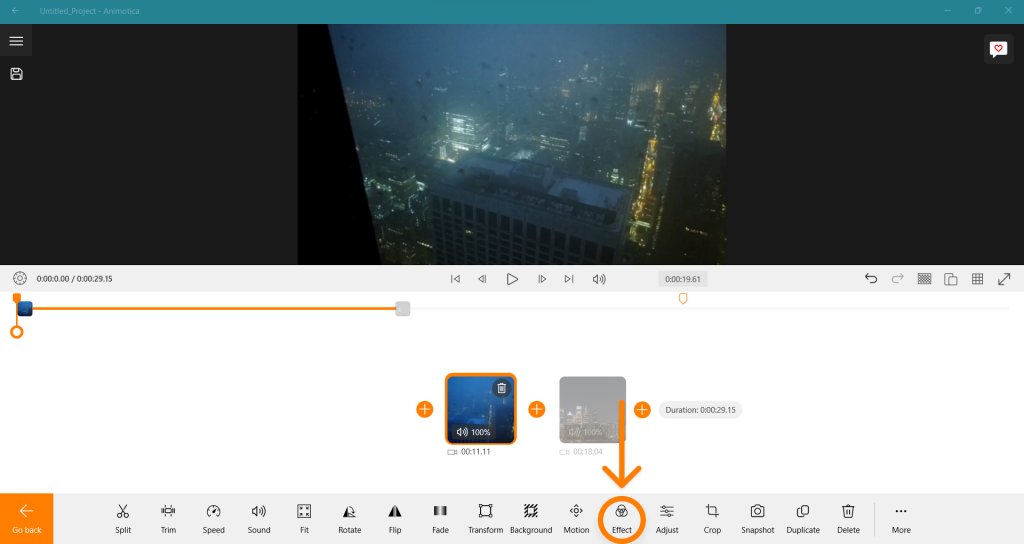
Start by picking the clip you wish to enhance with a glitch effect. If you have multiple clips, click on the one you want. Once you’ve selected it, look for the ‘Effect’ button to apply the glitch effect.
Step 2: Select the Effect
Once you’ve selected a clip, an array of features will appear. Move your cursor to the right and click ‘effects’ to begin! As you scroll through the collection, you’ll find the glitch section. From here, you can choose between two glitch effects: ‘Glitch 100′ and “Glitch RBG HL’. After making your selection, hit ‘Go Back’.
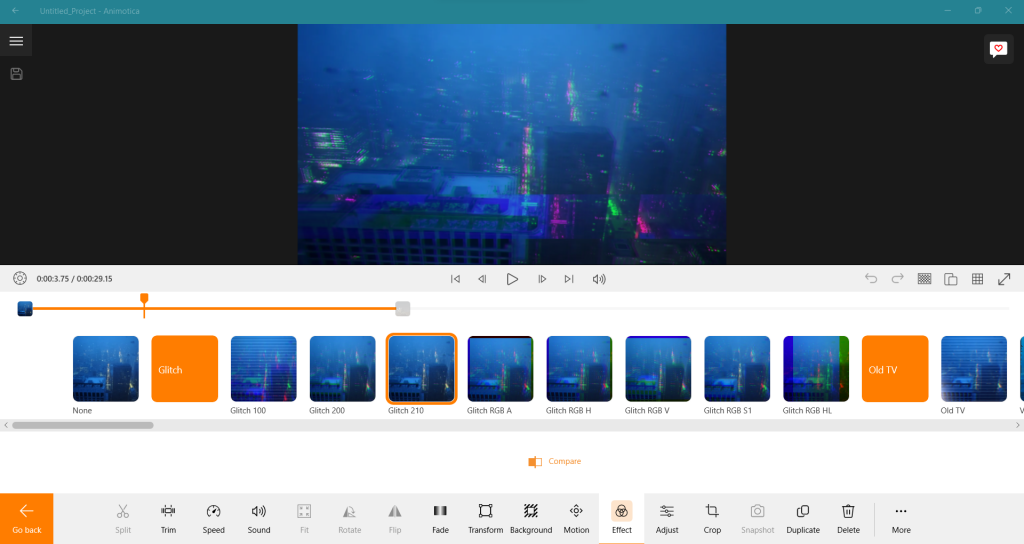
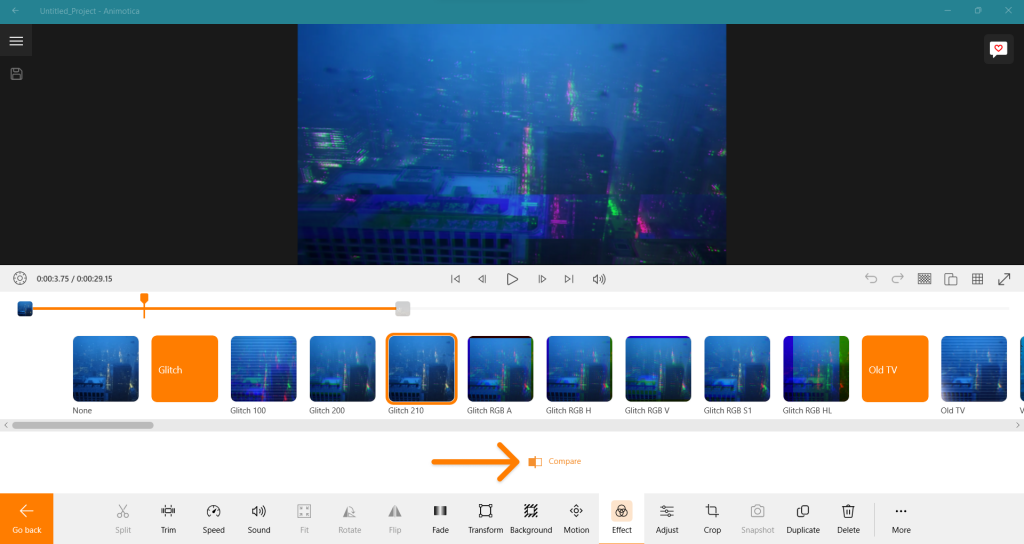
To compare your video before and after the effect, tap the ‘Compare’ button.
Step 4: Save Your Video
So, you’ve successfully completed adding the glitch effect to your video. Imagine you’re pretty satisfied with the results and don’t want to make any further edits. To complete your project, you would need to export your video. Look for the export button and click on it.
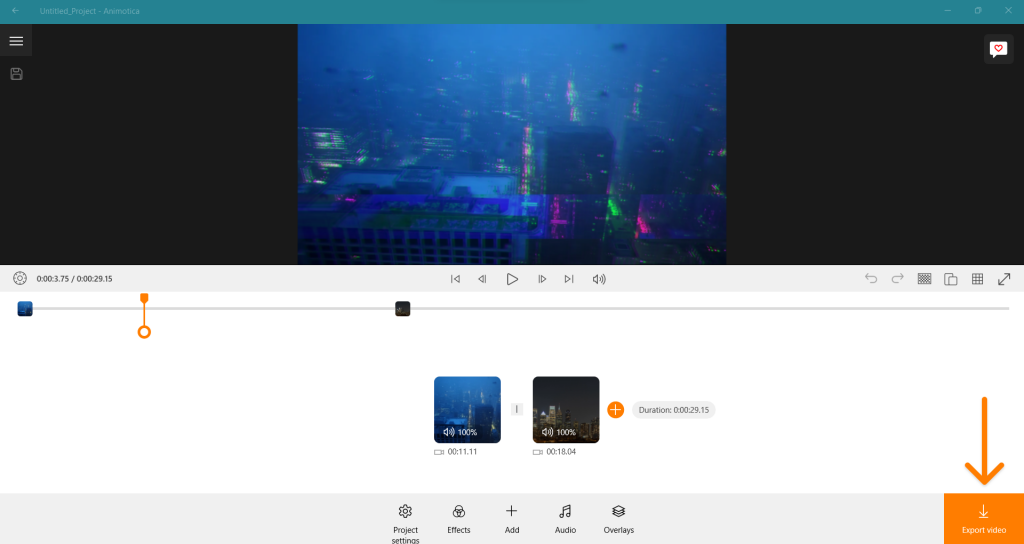
A window with additional settings like resolution, bitrate, and others will then appear, allowing you to save your video.
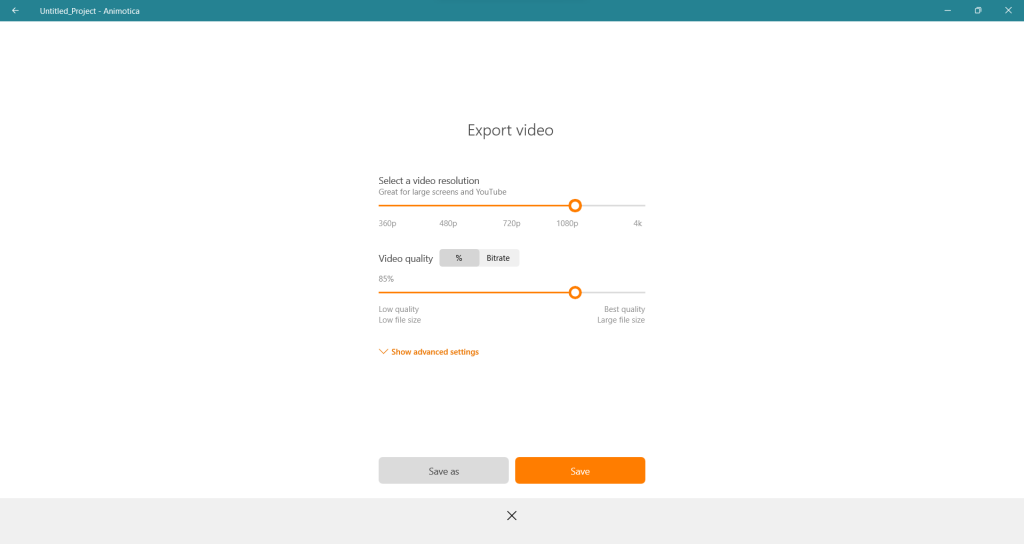
However, you don’t have to worry about any additional settings in the export window; you can jump straight to the “Save As” option. Input a filename that suits your fancy, making it easier for you to locate it later on. After you’ve done so, hit the save button. Now, all that’s left to do is sit back and relax. Let Animotica handle the rest!
Examples of Videos Enhanced with the Glitch Effect
Many amateur and professional video creators have creatively used the glitch effect to add a unique touch to their work. Here, we have gathered a few examples of videos that have effectively used this effect to take their content to the next level. These examples will inspire and give you a clearer idea of what you can achieve using the glitch effect with Animotica.
- Music Videos: Numerous modern music videos effectively employ glitch effects to boost their captivating visuals. One example is Kanye West’s music video for ‘Welcome to Heartbreak.’
- Films and Movie trailers: Trailers for sci-fi or action movies like The Matrix or Ghost in the Shell often add glitch effects for a futuristic or digital vibe. This effect helps to set the mood and tone of the movie.
- Video Game Marketing: Glitches are commonly used in game teasers and trailers, like Cyberpunk 2077, to build intrigue and create an immersive atmosphere.
These are only some of the countless ways to use the glitch effect creatively in your videos. It all comes down to how you experiment with it and push your video editing boundaries.
Tips for Creating Engaging and Impactful Glitch Effect Videos
Creating glitch effect videos is not just about adding the effect but about implementing it to maximize its impact and maintain viewer attention. Here are some practical tips that can elevate your video editing game and help you make the most out of the glitch effect on Animotica:
- Be Selective: Glitch effects can be head-turning, but they need to be used judiciously to avoid overwhelming your audience. Also, using it excessively can make your video feel disjointed and confusing.
- Pair with Appropriate Sound: One excellent way to significantly boost the impact of your glitch effect is to pair it with an appropriate sound, like a digital fuzz or static noise. This increases the viewer’s immersion and can make your glitch effects feel more natural.
- Consider Your Theme: Glitch effects can work wonders in specific themes like horror, sci-fi, action, technology, or mystery. Keep this in mind when deciding where and how to use them.
- Keep It Fresh: Repeating the same glitch effect throughout your video can make it tedious. Mixing up your effects can keep your video fresh and exciting from start to finish.
These strategies can bring your glitch effect video to life, so experiment and see what works! Remember, the goal is to enhance your narrative or message, so always consider your audience and the story you are trying to tell. Happy glitching!
Conclusion
Adding a glitch effect to your videos can take them to the next level, creating a distinctive and exciting experience for viewers. You’ve learned how to achieve this using Animotica and this informative guide. Whether you’re new to video editing or an experienced pro looking for fresh ideas, the insights and instructions in this post will prove highly beneficial.
So add some glitches to your videos, and remember, if something goes wrong, it’s just part of your creative journey. Enjoy the process, and happy glitching!



13 Comments
Your blog is a treasure trove of guidance, and it always leaves me reflecting on new ideas. I’d love to see you explore how these ideas might connect with innovative solutions, such as AI-driven creativity or blockchain applications. Your knack for finding relevance is truly impressive. Thank you for consistently providing such valuable perspectives. I’m excited to read more!
Project: https://talkchatgpt.com/
чат дпт на русском
Discover how perfecting search engine optimization techniques can boost your web visibility and drive website clicks with effective strategies for enduring results.
Digital Space: https://talkchatgpt.com
chatgpt на русском
Your blog effortlessly combines astute analysis with captivating storytelling, making complex topics digestible for every reader. It would be intriguing to see you incorporate emerging topics like AI advancements or green innovations into your narratives. Your knack for breaking down ideas while retaining their essence is remarkable. Keep up the outstanding work. your next piece promises to be another must-read addition to your repertoire!
Page: https://yarchatgpt.ru/
Unlock optimal performance with our comprehensive guide to improve your website’s SEO plan, driving organic traffic and achieving higher rankings through proven techniques and practical tips.
Explore: https://talkchatgpt.com
чат gpt на русском
Your writing has a unique way of captivating the audience by blending insightful analysis with a friendly tone. It would be exciting to see you look into how these ideas could intertwine with emerging trends, such as artificial intelligence or sustainable living. Your skill in telling tales is genuinely motivating. Cheers for continually offering such enlightening insights. can’t wait for your upcoming posts!
Access: https://talkchatgpt.com/
chat гпт
Unlock the secrets of success by mastering these proven approaches. discover how to elevate your results and stay ahead in current competitive environment. Keep pushing for improvement and creativity. your journey to victory starts here!
Discover: https://talkchatgpt.com/
gptchat на русском
The intersection of progress and humanity is a intriguing topic that consistently resonates with readers by offering both insight and clarity. It would be revealing to see a detailed exploration of how these concepts intersect with future-focused developments, such as artificial intelligence or renewable power. The ability to find relevance between seemingly distinct fields is a truly impressive skill, and one that expands our awareness of the world around us. Thanks for always providing such valuable perspectives. I’m excited to your next post!
View: https://talkchatgpt.com
chatgpt
Unlock potential with these practical SEO tactics for optimizing your website’s performance and attracting more organic traffic today.
Enter: https://talkchatgpt.com/
чат грт
Unlock optimal website results with our thorough SEO strategies, covering keyword discovery, on-page optimization, link development, and content creation for improved rankings and natural traffic.
Click here: https://talkchatgpt.com
чат джипити ком
Discovering the latest trends in web advertising can transform your venture, driving traffic and boosting engagement. It’s exciting to see how innovative strategies can reinvent the way we connect with customers. Your knack for stressing these important insights is inspiring. Keep up the outstanding work – looking forward to your next article!
page – https://talkchatgpt.com
chat gpt com
This piece brilliantly highlights the intersection of technology and present-day society. It would be fascinating to see you examine how these trends might impact emerging sectors, such as artificial intelligence or sustainable agriculture. Your knack for clarifying intricate topics is commendable. Appreciate the regular flow of insightful content. eagerly anticipating your next publication!
URL: https://gpt4geeks.com/janitor-ai-chat-download/
chat gpt
Backbiome is an advanced daily wellness supplement formulated to help support spinal comfort, reduce feelings of built-up tension, and promote freer, smoother movement throughout backbiome everyday life.
Boostaro is a modern men’s wellness boostaro formula created to support daily vitality, stamina, and confidence through a practical, natural routine.