
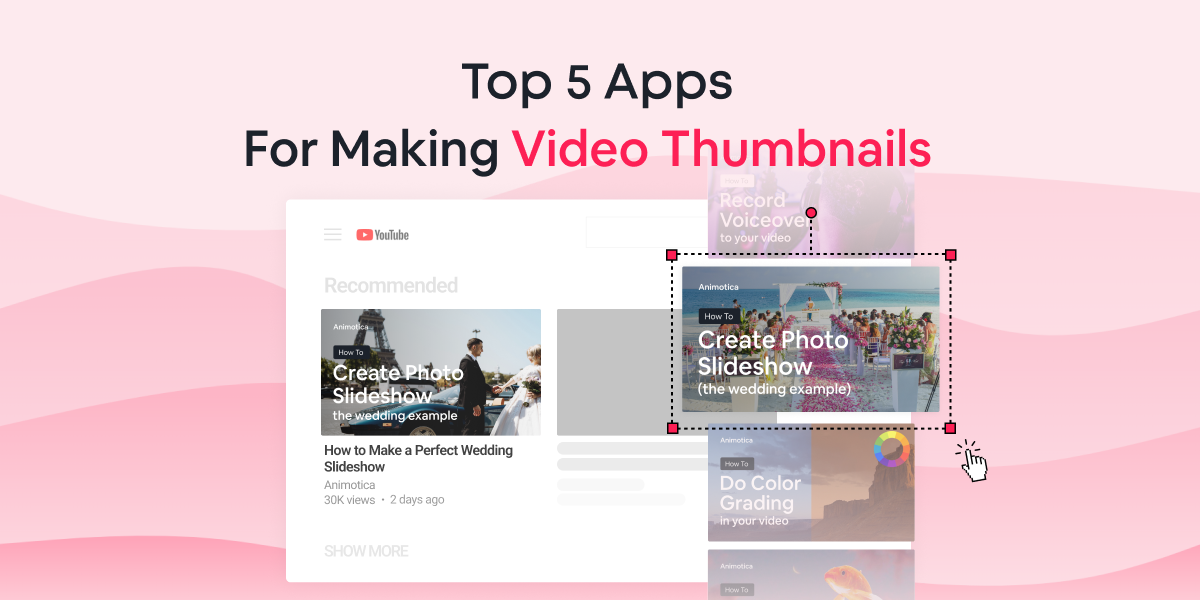
This guide will reveal some of the best apps for making video thumbnails in 2023.
Whether you’re a video content creator for YouTube and other vlogging channels, or a marketer pushing video ads across the internet, you would know that the very first thing people notice about your video is your thumbnail.
A popular adage says, “don’t judge a book by its cover.” But this is 2023, and if you can’t make your book’s cover attractive enough, you’d be leaving money on the table! The same applies to videos and thumbnails; your views will be significantly less if you don’t use attractive thumbnails!
Indeed, YouTube, Facebook, and other video-sharing platforms generate automatic thumbnails, but to get better results, you need to create your thumbnails manually.
That said, we will show you our top 5 apps for making video thumbnails. We will also arm you with our ‘power tips’ to help you get the best thumbnails possible!
Note that we will use YouTube as our case study throughout this guide, but our information is totally applicable to all channels.
Contents
Why a Thumbnail can Make or Break Your Video
“The only that I did was change my channel’s thumbnail strategy, and we got three times more views.”
Derrel Eves
There are over 2.5 billion monthly active users on YouTube as of January 2023. This means that about 30% of the world’s population is on the platform every month, scrolling through their news feed for interesting videos!
Now, YouTube is a deep sea of videos, with over 720,000 hours of video content uploaded on the platform daily. This easily exposes one viewer to hundreds of videos to watch every day.
Now, with so many videos screaming for clicks, how do you make sure your video screams the loudest? The answer is simple: Thumbnails!
Indeed, you might have valuable content and a well-researched title, but if your thumbnail isn’t captivating enough, your views will be average at best.
In Derral Eves’ case, his YouTube channel was doing pretty well, with around 200,000 views a day across the entire channel. When it came time to scale and grow his channel further, all he did was work on his thumbnails!

Top 5 Apps for Making Video Thumbnails
In this section, we’ll be going over some of the best apps for making video thumbnails for all video-sharing sites. These are mostly freemium apps. Regardless, their free versions come with some of the best features in the market.
Let’s get into it!
Canva

With over 55 million monthly active users, Canva has sealed its spot as one of the most popular design tools on the internet. Its core strength lies in its versatility, helping creators design anything, including logos, social media post templates, presentations, thumbnails, and much more.
Canva provides a ton of stickers, fonts, and other graphic design elements, along with 1GB storage space for free.
Its premium plan gives users access to extra folders and a wider range of graphic design elements, along with 100GB storage space.
Because Canva is an online tool, its repository is updated frequently and can be accessed from anywhere. Furthermore, it makes collaboration easy for teams.
Pixlr

Pixlr is a cloud-based graphic design platform. Just like Canva, it comes with loads of templates for social media graphics, including thumbnail templates for popular channels like YouTube.
It supports popular image formats, including PSD, JPEG, PNG, and SVG. One of its most impressive features is its automatic background remover which helps users erase image backgrounds with ease using A.I.
The thing with Pixlr is that you don’t get free templates with its free plan. You’ll have to sign up for a 30-day free trial on its premium plans if you don’t want to design your thumbnails from scratch.
However, even on its free plan, the platform provides some impressive tools to help you create awesome designs.
One other thing to note is that the platform doesn’t require you to sign up before using its tools. However, to save your project in their library, you’d need to create an account with them.
Adobe Express
Adobe Express belongs to the Adobe portfolio of creator tools collectively known as the Adobe Creative Cloud. This one is specifically developed to help creators make web pages, banners, posters, and thumbnails.
The platform also provides premium templates and fonts and allows users to add their branding to their designs.
Adobe Express is also a web application, but it also has mobile versions existing as Adobe Express Post and Adobe Express Page.
Users can get started with the platform for free. But to access its premium templates, you’d need to get on its 30-day free trial.
Snappa

Snappa is an online graphic design tool that allows non-designers to create impressive social media posts, ad graphics, banners, thumbnails, and more.
The platform offers over 5 million stock images, 200 fonts, 100 thousand vectors, and shapes, along with a vast library of templates.
Its free plan allows users to create with templates and stock images. However, free users are limited to just three downloads per month.
Fotojet

Fotojet provides a rich library of templates and resources, along with powerful editing tools, to help creators create graphic designs as quickly as possible.
The platform is less expensive and has more basic features than its competitors on the list. However, its free version gives users a taste of most of its features, including templates, fonts, overlays, and more.
Fotojet also allows users to start using the platform without the need to create accounts.
YouTube Thumbnail Best Practices
As you’d have already noticed, video-sharing platforms automatically generate thumbnails for every video. If you’re lucky, the thumbnail will look nice. But that’s just about it.
It is always important to create custom thumbnails because then, you can add texts, filters, and any element that can make the thumbnail more “clickable.”
Remember that creating thumbnails is a form of art. Treat it like one! Check out our YouTube channel to find some examples of custom thumbnails.

Also, remember that your custom YouTube thumbnails should have a resolution of 1280 x 720. Minimum width of 640 pixels is also allowed. The image should be under 2 MB and fit into the 16:9 aspect ratio.

Power Tips for Making Effective Video Thumbnails
The video creator space is a very competitive ecosystem. Everybody wants to give their best to get those clicks and views. So, in a world ruled by fierce competition, how do you make your work stand out? How do you create thumbnails that pull attention (and clicks)?
This section will give you some of our proven tips to help you get the best results!
Make Use of Psychological Triggers
To be successful at your thumbnail game, you have to understand the things that make people want to click on your video.
In this case, you need to take advantage of curiosity and emotion.

Thumbnail A is an excellent example of a thumbnail that triggers curiosity. You can see a giant question mark literally begging you to guess what would be inside a 500-thousand-dollar mystery box!
Thumbnail B also makes use of emotional triggers by highlighting the subject’s reaction. This will also make you curious about how the story would unfold.
While psychological triggers work all the time, it is very important to deliver on your promise. Your video should be about the same thing your thumbnail depicted. Else you would be click-baiting.
Use Text to Drive your Story
Including texts in your thumbnails is necessary because it helps you further create an air of persuasion around your image.
But be careful with it. You don’t want to clutter your thumbnail with texts.
Ideally, your text should be under seven words. But if you’re making How-To videos, it could be longer, depending on the topic. Also, try making your keyword larger to capture attention in the right places.
Furthermore, Sans Serif fonts have proven to work best on thumbnails because they’re more readable.
Take advantage of Close-up Images
If you go through the best-performing YouTube channels, you will find that the thumbnails use close-up images. This is because close-up images draw more attention and are easier to view on smartphones with smaller thumbnails.
Find the Thumbnail Strategy that Works for you and Stick to it
First, you need to try out different thumbnail strategies. Experiment with colors, fonts, and images until you find the one that works best for you over a certain period.
This information can be found in your analytics tool. Find out the videos with the highest Click-Through Rates, and implement the same thumbnail strategy on your next videos.
Once you find the strategy that works for you, stick to it and work it into a branded thumbnail template.

Furthermore, always pay attention to the most prominent players in your niche and draw inspiration from their thumbnail strategies.
Conclusion
The importance of video thumbnails should be glaringly obvious by now. Nobody wants to click on boring thumbnails. So, be sure to take advantage of the tools and tips discussed in this guide, and you’ll most certainly achieve more with your videos.
Cheers!




22 Comments
Backbiome is an advanced daily wellness supplement formulated to help support spinal comfort, reduce feelings of built-up tension, and promote freer, smoother movement throughout backbiome everyday life.
Boostaro is a modern men’s wellness boostaro formula created to support daily vitality, stamina, and confidence through a practical, natural routine.
https://jm-trans-rencontre.fr/
Thank you for the good writeup. It in fact was a amusement account it.
Look advanced to more added agreeable from you!
However, how can we communicate?
https://rencontres-sex.fr/
Very nice article, just what I wanted to find.
https://jm-rencontre.net/
Woah! I’m really enjoying the template/theme of this
site. It’s simple, yet effective. A lot of times it’s tough to get
that “perfect balance” between superb usability and appearance.
I must say that you’ve done a very good job with
this. Additionally, the blog loads extremely quick for me on Firefox.
Superb Blog!
https://sexe-tendre.fr/
Normally I do not read article on blogs, but I wish to say that this write-up
very compelled me to check out and do it! Your writing taste has been surprised me.
Thanks, quite nice post.
https://jm-plan-cul-gratuit.fr/
I’m not sure exactly why but this web site is loading extremely slow for
me. Is anyone else having this problem or is it a problem on my
end? I’ll check back later on and see if the problem still exists.
https://jm-rencontre-connexion.fr/
Great items from you, man. I have take note your stuff prior to and
you’re just too fantastic. I really like what you have got right here,
certainly like what you’re stating and the best way by which you say it.
You’re making it enjoyable and you continue to take care of to keep it smart.
I can’t wait to read far more from you. That is really a great web site.
https://follarico.net/
My relatives all the time say that I am wasting my time here at web, except I know
I am getting knowledge everyday by reading such
good articles or reviews.
https://jmplancul.net/
Very nice article, exactly what I wanted to find.
https://jm-plan-cul-nantes.fr/
Hello it’s me, I am also visiting this web page daily, this web
page is in fact good and the users are in fact sharing nice thoughts.
https://jm-rencontres.net/
Link exchange is nothing else however it is just placing the other person’s web site link on your page at suitable
place and other person will also do similar in support of you.
https://tribunenantaise.fr/
I don’t know whether it’s just me or if everyone else encountering issues
with your blog. It appears as if some of the written text on your posts are running off the screen. Can somebody else
please comment and let me know if this is happening to them as well?
This may be a issue with my web browser because I’ve had this happen previously.
Kudos
https://trapapart.fr/
naturally like your web-site but you have to test the spelling on quite a few of
your posts. A number of them are rife with spelling issues and I find it very bothersome
to inform the reality however I will definitely come back again.
https://gemy-lorient.fr/
Today, I went to the beach with my children. I found a sea shell and gave
it to my 4 year old daughter and said “You can hear the ocean if you put this to your ear.” She
put the shell to her ear and screamed. There was a hermit crab
inside and it pinched her ear. She never wants to go back!
LoL I know this is completely off topic but I had to tell someone!
https://candy-ai.at/
Hello, I enjoy reading all of your post. I wanted to write a little comment to support you.
https://www.public.fr/meilleur-casino-en-ligne-france
Just wish to say your article is as surprising.
The clearness in your post is just spectacular and i can assume you’re an expert on this subject.
Fine with your permission allow me to grab your feed to keep updated with forthcoming post.
Thanks a million and please carry on the gratifying work.
https://jerk-roulette.ch/
Nice blog here! Also your site loads up fast! What host are you using?
Can I get your affiliate link to your host? I wish my web site loaded up as fast as yours lol
https://bdsm-paris.fr/
I don’t even know how I ended up here, but I thought this post was good.
I don’t know who you are but definitely you’re going to
a famous blogger if you aren’t already 😉 Cheers!
https://jerk-roulette.ca/
Very good article! We are linking to this great article on our site.
Keep up the great writing.
https://boutique-lgbtqia.fr/
Having read this I believed it was very informative. I appreciate you taking
the time and energy to put this information together. I once again find myself personally spending a lot of time both
reading and posting comments. But so what, it was still worth it!
https://chat-ia-sexe.fr/
Hello! Someone in my Facebook group shared this site with us so I came
to take a look. I’m definitely enjoying the information. I’m book-marking and will be tweeting this to my followers!
Great blog and terrific design and style.